
Building service pages one at a time works for five pages. At fifty, it falls apart. Every design change means editing fifty pages, a few are always missed, and the site slowly drifts out of line. Breakdance dynamic templates solve this: you design one layout, store each service’s details as data, and Breakdance fills in the layout for every page automatically.
This guide shows how to set it up, and how to do it without falling into the thin-content trap that gets many “100 page” sites ignored by Google.
What a dynamic template is
A dynamic template is a single layout with empty slots. Instead of typing “Roof Repair” into a heading, you connect the heading to the page’s title. Instead of uploading a photo, you connect the image to the page’s featured image or a custom field.
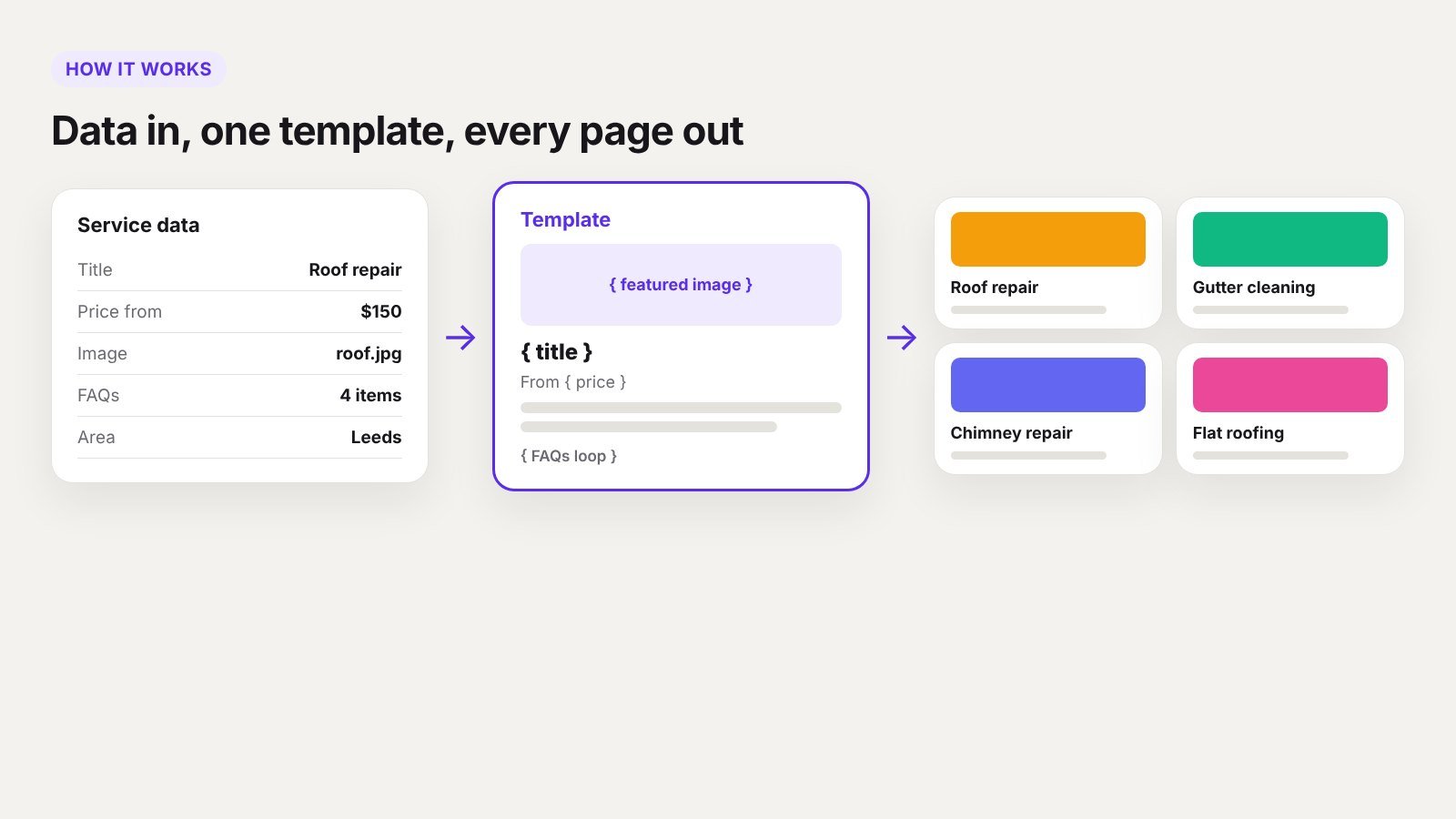
When a visitor opens any service page, Breakdance takes that page’s data and pours it into the template. One layout, many pages, all consistent. Change the template once and every page updates.
When dynamic templates make sense
- Service businesses with many services, such as cleaning, repairs, legal or medical treatments
- Multi-location businesses with one page per branch or city
- Directories and listings, such as properties, vehicles, courses or team members
- Portfolios and case studies with the same structure each time
- Restaurant menus and product catalogues without a full shop
If every page follows the same structure but has different content, a template is the right tool.
What you need
- Breakdance Pro. Templates, conditions and full dynamic data are part of the paid version.
- A custom post type, such as “Services”, so service pages are separate from normal pages.
- Custom fields for the details that change per page. ACF and Meta Box both work with Breakdance’s dynamic data.
Step 1: Plan the data before the design
Write down every piece of information a service page needs, and decide what type each one is:
| Field | Type | Example |
|---|---|---|
| Service name | Post title | Roof repair |
| Short summary | Text | Fast repairs for leaks, slipped tiles and storm damage |
| Main description | Rich text (post content) | Full explanation of the service |
| Starting price | Number | 150 |
| Hero image | Image (featured image) | Photo of the team on a roof |
| What’s included | Repeater | Inspection, materials, cleanup |
| FAQs | Repeater | Question and answer pairs |
| Related services | Relationship | Gutter cleaning, chimney repair |
This step decides how good the pages will be. If the only thing that changes per page is the title, you do not have 100 pages of content, you have one page copied 100 times.
Step 2: Create the post type and fields
Using ACF or Meta Box:
- Create a custom post type called Services with a URL like
/services/roof-repair/. - Create a field group with the fields from your plan.
- Set the field group to show on the Services post type.
Now each service is a simple form for whoever adds content: fill in the fields, set the featured image, publish.
Step 3: Build the single service template in Breakdance
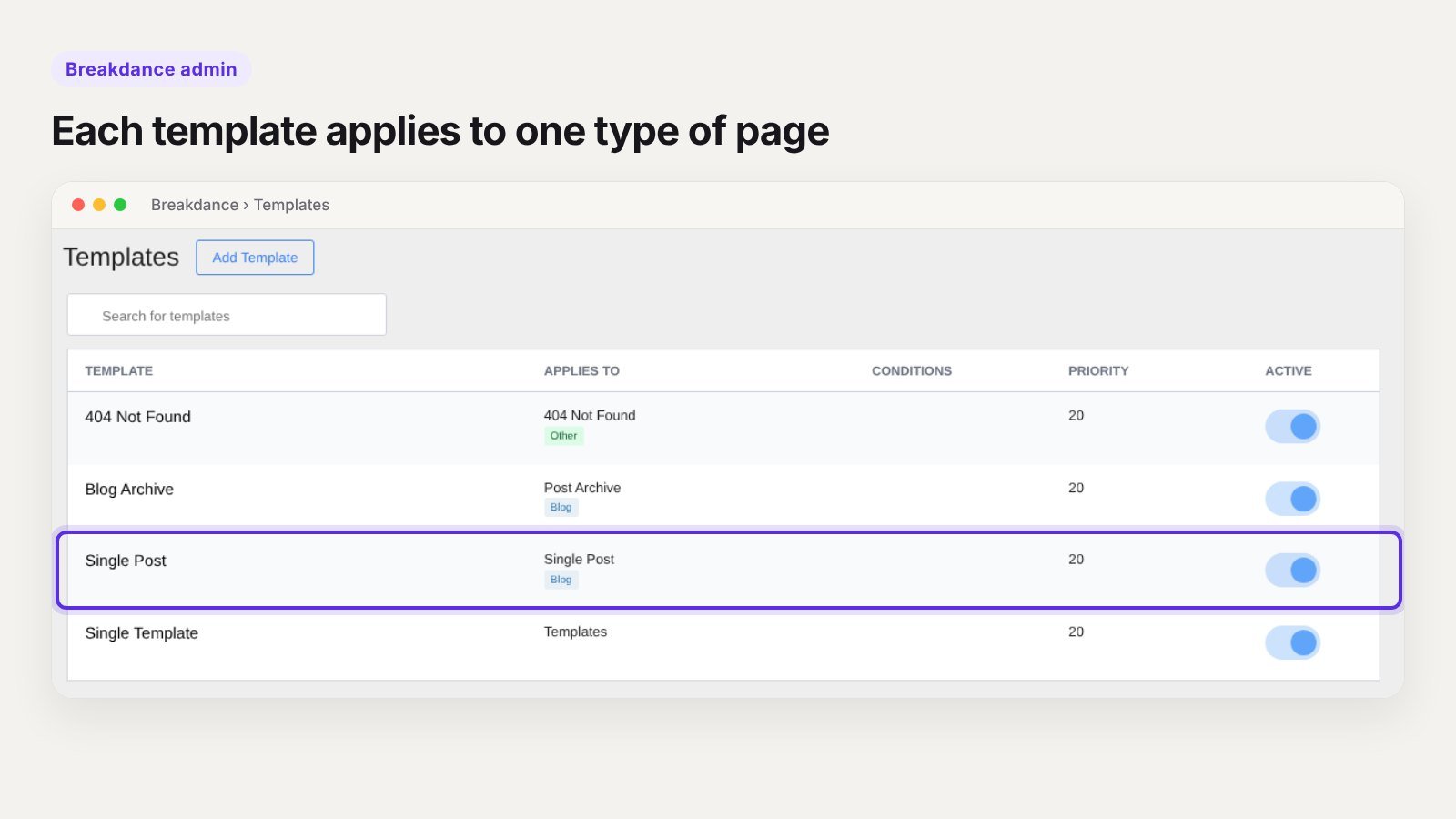
- Go to Breakdance > Templates and add a new template.
- Set its condition to apply to all posts of the Services post type.
- Design the layout once: hero, summary, price, description, what’s included, FAQs, related services, call to action.
- Connect each element to dynamic data instead of typing content. Headings use the post title, images use the featured image, and text uses the matching custom field.
- For repeaters such as “What’s included” and FAQs, use a repeater loop so each row renders in the same design.
Preview the template against a real service while you build, so you see actual content instead of placeholders.
Step 4: Build the services overview
Create the main Services page with a post loop that lists every service as a card: image, title, summary, starting price and a link. New services appear on it automatically when they are published. Add category filters if you have more than ten or so.
Step 5: Add the SEO pieces
- SEO titles and descriptions: set a default pattern in Rank Math or Yoast for the Services post type, such as “Service name in City | Brand”, then write a custom description for your most important services.
- Structured data: add Service or LocalBusiness schema through your SEO plugin, and FAQ schema where you show FAQs.
- Internal links: the related services section links pages to each other, and every service should link back to the overview.
- Breadcrumbs: Home > Services > Roof repair helps both visitors and Google.
The thin-content trap
This is the part most guides skip. Google’s spam policies specifically target pages created at scale mainly to rank, with little value of their own, such as near-identical “service in city” pages where only the place name changes. Sites built that way often see most of those pages ignored or the whole site lose trust.
A template is safe when each page has genuinely different content. For every page, ask:
- Does this page have information that exists nowhere else on the site?
- Would a customer learn something real about this service or location?
- Are the photos, prices, FAQs and examples specific to it?
Rules we follow:
- Write a real description for every page. A minimum of a few solid paragraphs that are not shared with other pages.
- Use location pages only for places where you actually work, with local details such as reviews from that area, projects done there or the team who covers it.
- Start with your most important 10 to 20 pages and do them well, then grow.
- Merge pages that would say the same thing.
The template handles the design. The content still has to earn its place.
Template, global block or loop: which is which
| Tool | Use it for |
|---|---|
| Template | The full layout of every page of one type, such as every service page |
| Global Block | A section reused in many places, such as a call-to-action band or footer |
| Post loop | A list or grid of items, such as all services on the overview page |
Most service sites use all three together.
How long it takes to set up
For an experienced Breakdance developer, a services post type, fields, a single template and an overview page usually take one to two days. After that, each new service takes as long as writing its content. Templates such as our Altriva business template give you the page designs to start from.
Frequently asked questions
Do I need ACF to use dynamic templates in Breakdance?
For simple pages, post titles, content, excerpts and featured images are enough. For prices, FAQs, galleries and other details, you need custom fields from ACF, Meta Box or a similar plugin.
Can I create 100 location pages with one template?
Technically, yes. But near-identical location pages break Google’s spam policies. Create pages only where each one has real, specific content.
Will changing the template change every page?
Yes. That is the main benefit. Change the layout once and every page using the template updates.
Do dynamic templates slow down the site?
No. They render like normal pages, and with page caching they are as fast as hand-built ones. Our speed tips cover the rest.
Want your service pages built properly?
We plan the data, build the templates and help write content that ranks, so your site can grow from 10 service pages to 100 without the mess. Tell us about your business or book a 30-minute call.