
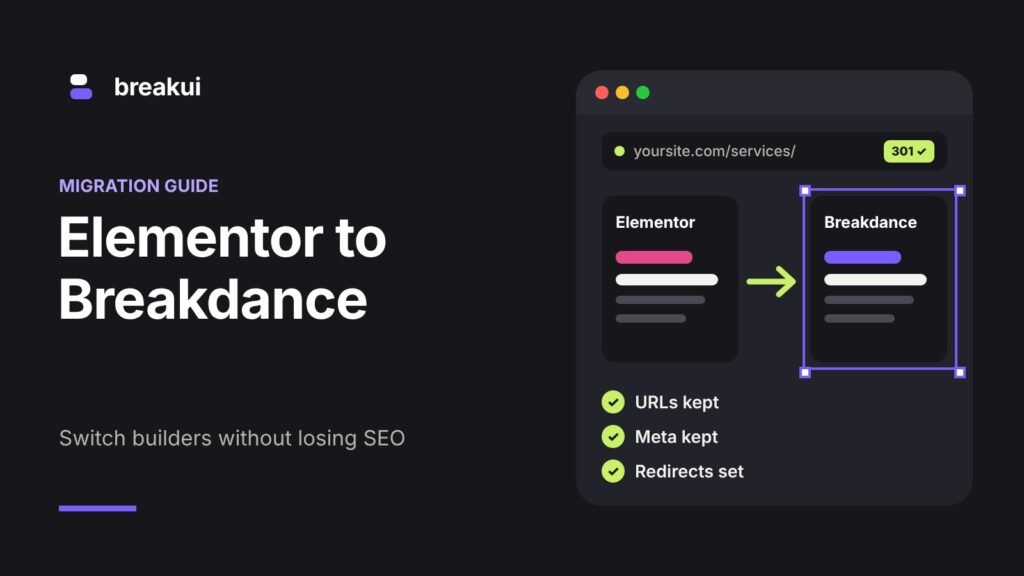
Moving a site from Elementor to Breakdance is not risky because of Breakdance. It is risky because a rebuild touches everything Google has already learned about your pages: the URLs, the headings, the content, the internal links. Get those right and you can migrate from Elementor to Breakdance without losing rankings. Get them wrong and traffic can drop for months.
This is the process we follow. It is slower than “install, rebuild, switch”, and that is the point.
First, should you migrate at all?
A migration is worth it when:
- The site is slow and the cause is the builder plus a pile of add-ons
- You are redesigning anyway
- You are tired of paying for and updating several add-on plugins
- You maintain many sites and want them on one builder
It is not worth it when the site works, ranks and nobody is unhappy. If you are still deciding, read Breakdance vs Elementor first.
What actually happens in a migration
There is no converter. No plugin turns Elementor layouts into Breakdance layouts, and you should be wary of anyone who says otherwise. A migration is a rebuild of the design on top of the same WordPress site.
What stays untouched: posts, pages, URLs, media library, users, menus, SEO plugin settings, WooCommerce products and orders.
What gets rebuilt: every Elementor layout, the header, the footer, archive and single templates, popups and forms.
Blog posts written in the normal WordPress editor are the easy part. They only need a new Breakdance template around them.
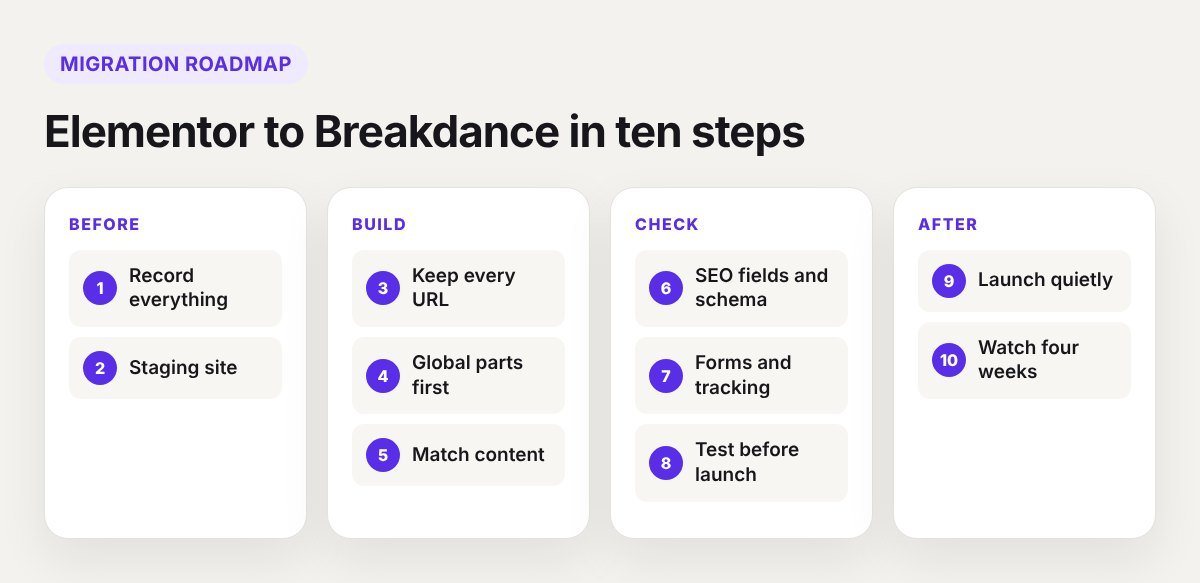
Step 1: Record what you have
You cannot protect what you have not measured. Before changing anything:
- Crawl the site with Screaming Frog or a similar tool and export every URL with its title, meta description, H1 and status code.
- In Google Search Console, export the top pages and queries for the last 6 to 12 months.
- Mark your money pages: the ones that bring traffic, leads or sales. These get the most care.
- Take screenshots of key pages on desktop and mobile.
- Take a full backup of files and database.
Step 2: Build on staging, never on live
Create a staging copy of the site and block it from search engines. Install Breakdance there. Elementor and Breakdance can be active together during the rebuild, so the old pages keep working while you replace them one at a time.
Step 3: Keep every URL the same
This is the single most important rule. Rebuild each page under its existing URL. Do not create “Home 2” or “services-new” and plan to swap later. If you edit the existing page and change only what renders it, the URL, the publish date and the SEO fields stay exactly as they were.
If a URL truly has to change, write it down and add a 301 redirect from the old address to the new one before launch.
Step 4: Rebuild the global parts first
Start with the pieces every page shares: global colours and typography, header, footer, then the templates for single posts, archives, search and the 404 page. After that the individual pages go much faster, and the design stays consistent.
Starting from a finished layout saves a lot of time here. A Breakdance template gives you a working design system from the first hour.
Step 5: Match the content and headings
Rankings follow content. For each page, compare the new version with your crawl export:
- One H1, with the same meaning as before
- The same H2 topics, in a sensible order
- All the body text carried over, including the FAQ at the bottom that everybody forgets
- Image alt text copied across
- Internal links still present and pointing to the same pages
Redesign the look as much as you like. Be conservative with the words on pages that already rank.
Step 6: Check SEO fields and schema
Titles and meta descriptions live in your SEO plugin, so they survive the rebuild. Check them anyway against your export. Then look at structured data. If Elementor widgets were producing FAQ, review or breadcrumb schema, that output disappears with the widget. Recreate it in Rank Math or Yoast, or with Breakdance’s own elements.
Check the canonical tags, the XML sitemap and the robots settings on staging too.
Step 7: Rebuild forms and tracking
This is where leads get lost quietly.
- Rebuild every form in Breakdance and send a test submission from each one.
- Confirm the emails arrive and any CRM or webhook still receives the data.
- Re-add analytics, tag manager, pixels and conversion events.
- Check thank-you page URLs if your conversion tracking depends on them.
Step 8: Test before launch
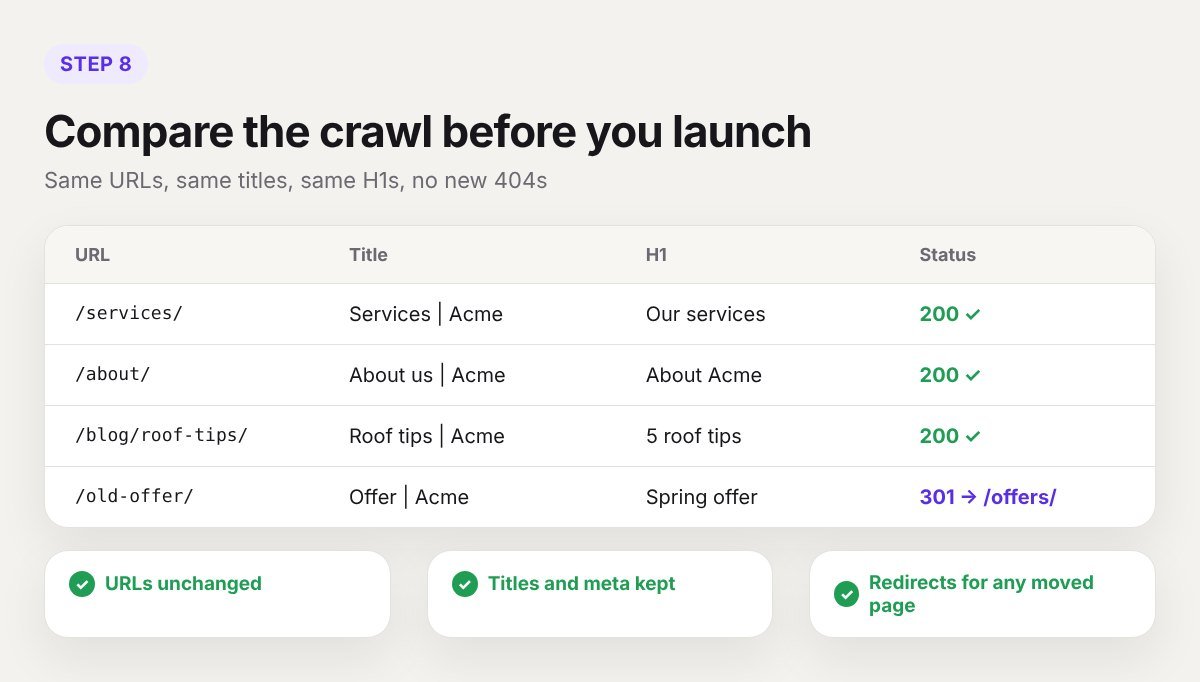
- Crawl staging and compare against the original export. Same URLs, same titles, same H1s, no new 404s.
- Test every template on mobile and tablet.
- Run PageSpeed Insights on the main templates. Our Breakdance speed tips cover what to fix.
- Click through menus, search, cart and checkout.
Step 9: Launch at a quiet time
Push staging to live when traffic is low. Then, straight away:
- Remove the search engine block. It is the most common launch mistake.
- Deactivate Elementor and its add-ons once you have confirmed no page still uses them.
- Clear every cache: page cache, CDN and the Breakdance CSS cache.
- Resubmit the sitemap in Search Console.
- Crawl the live site once more.
Keep the Elementor plugins installed but inactive for a week or two, and keep your backup. If you missed a page, you can check how it used to look.
Step 10: Watch for four weeks
Small movements in the first two weeks are normal while Google recrawls. Check Search Console every few days for:
- New 404 errors under Pages
- Drops in clicks on your money pages
- Core Web Vitals changes
- Indexing problems
If one page drops while the rest hold, compare its content and headings with the old version. The cause is usually something that was left out.
Mistakes that cost rankings
- Changing URLs without redirects
- Leaving the staging “noindex” setting on after launch
- Cutting text because the new design “looks cleaner”
- Turning headings into styled paragraphs, or the reverse
- Forgetting image alt text
- Removing internal links from the footer or sidebar without replacing them
- Launching and not looking at Search Console for a month
How long it takes
A five to ten page brochure site usually takes one to two weeks, including testing. A site with a blog, custom post types and WooCommerce takes three to six weeks. The rebuild is rarely the slow part. Checking is.
Frequently asked questions
Will I lose my SEO if I switch from Elementor to Breakdance?
Not if URLs, content, headings, meta data and internal links stay the same. A short period of small ranking changes after launch is normal.
Is there a tool that converts Elementor pages to Breakdance?
No. The layouts are rebuilt. Your content, media and settings stay in WordPress.
Can I migrate one page at a time?
Yes. Both builders can run together for a while, which is useful for large sites. Finish as soon as you can, because running two builders loads extra assets.
Will my site be faster after migrating?
Usually, because Breakdance loads fewer assets and you remove add-on plugins. Hosting and images still matter just as much.
Want it done without the risk?
We migrate sites from Elementor, Divi and other builders to Breakdance, and we keep your URLs, content and SEO settings in place. Tell us about your site and we will reply with a plan and a fixed quote, or book a 30-minute call.