
When someone searches for a place to eat, they usually want three answers fast: what is on the menu, when you are open, and how to book or order. A good restaurant website answers all three within seconds on a phone. Everything else, the story, the photos, the chef’s background, is there to tip a hungry visitor toward you rather than the place next door.
This guide covers what a restaurant site needs, how to handle menus and bookings, and the local SEO that puts you on the map when people search “near me”.
What diners look for first
Most restaurant visits start on a phone, often in the same street. Put these within one tap of the home page:
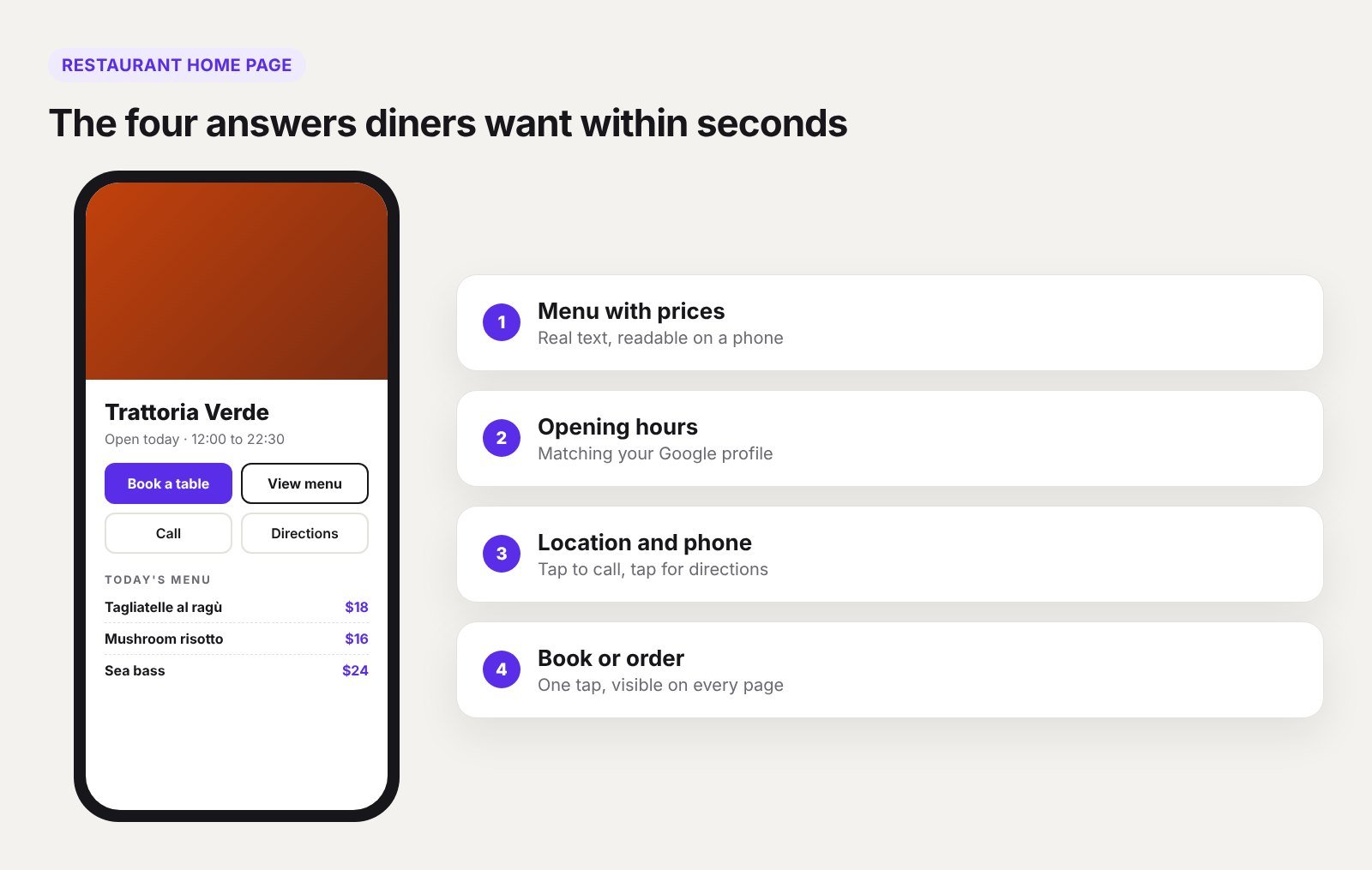
- Menu with prices
- Opening hours, including holidays
- Address with a map link
- Phone number that dials when tapped
- Book a table or Order online button
If a visitor has to hunt for any of these, many will go back to Google and choose someone else.
The pages every restaurant site needs
| Page | What it must do |
|---|---|
| Home | Show the food, the mood and the main action: book or order |
| Menu | List dishes and prices in readable text |
| Book or Order | Take the booking or order with as few steps as possible |
| About | Tell the story and introduce the people |
| Contact and location | Address, map, hours, phone, parking and transport |
| Private dining or events | Capture group and event enquiries |
| Gift cards | Optional, but easy extra revenue |
A small café can combine several of these on one page. A restaurant with events, catering and multiple locations needs separate pages for each.
Menus: get this right above all else
The menu is the most visited page on almost every restaurant website. It is also the page most often done badly.
Use text, not a PDF
A PDF menu is slow to open on a phone, hard to read without zooming, and difficult for Google to understand. Put the menu on the page as real text:
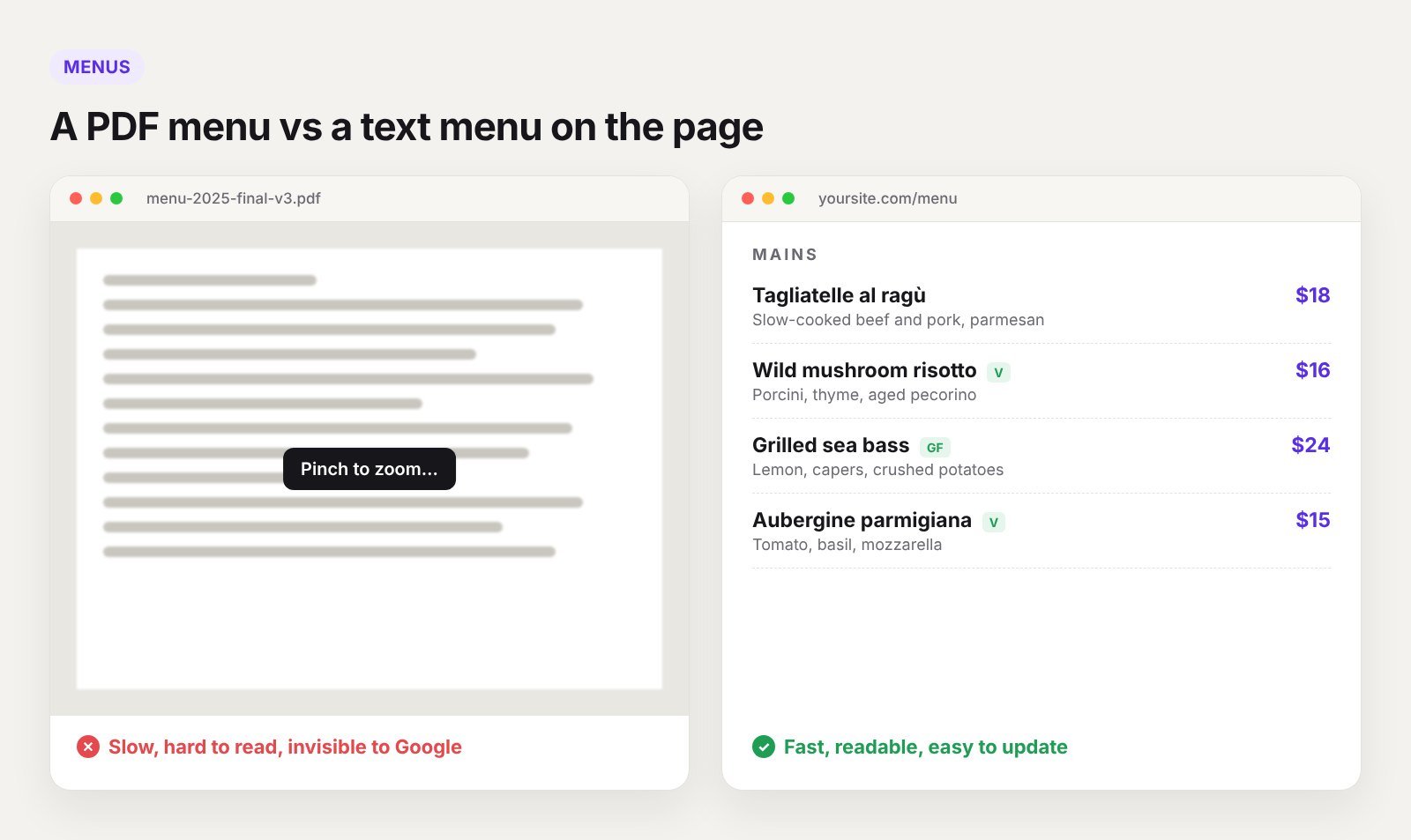
- Group dishes by course or category
- Show the price beside each dish
- Mark dietary information clearly, such as vegetarian, vegan or gluten-free
- Keep descriptions short and appetising
- Offer a PDF download as an extra for people who want to print it
Make it easy to update
Prices and dishes change. If updating the menu means calling your web developer, it will be out of date within a month. Build the menu so staff can edit it in a simple form. In Breakdance, menu items can be a custom post type with fields for name, description, price and dietary tags, laid out by a template. We explain the approach in Breakdance dynamic templates.
Add photos of your best dishes
Not every dish needs a photo, but your five or six signature dishes do. Real photos of your own food work far better than stock images, because diners can tell.
Bookings and online orders
Table bookings
You have three main options:
- A booking platform such as OpenTable, Resy or a local equivalent. Easy to set up, brings some discovery, but charges per booking or a monthly fee.
- A WordPress booking plugin. Lower ongoing cost and you own the data, but you manage it yourself.
- A simple request form or WhatsApp button. Fine for small places that confirm bookings by phone.
Whichever you choose, put the booking button in the header so it is visible on every page, and make sure the same link is added to your Google Business Profile.
Online ordering
Delivery apps are convenient but take a large commission on every order. Many restaurants now offer direct ordering on their own website as well, for collection or their own delivery. Even if you keep the apps, a direct order link on your site keeps more of the money from regular customers.
Local SEO for restaurants
For a restaurant, local SEO matters more than anything else you can do online. Most diners find you through Google Maps and “near me” searches.
1. Complete your Google Business Profile
This is the single most important step.
- Choose the most accurate primary category, such as “Italian restaurant”, not just “Restaurant”
- Add opening hours and keep holiday hours up to date
- Add your menu and your booking or order link
- Upload real photos of food, interior and exterior regularly
- Reply to reviews, good and bad
2. Keep your name, address and phone consistent
Use exactly the same business name, address and phone number on your website, Google, Facebook, Instagram, TripAdvisor and every directory. Small differences confuse search engines and cost you visibility.
3. Add restaurant structured data
Structured data tells Google the facts about your business in a format it reads directly. Use the Restaurant type and include your address, opening hours, cuisine, menu link, price range and whether you accept reservations. Rank Math and Yoast can add this for you. Breakdance works with both.
4. Write about your location
Mention your neighbourhood, nearby landmarks and how to get there in your own words on the contact page. If you have more than one location, give each one its own page with its own address, hours, photos and menu details.
5. Collect reviews steadily
Ask happy guests to leave a Google review. A small card on the table or a line on the receipt with a QR code works. Steady new reviews help more than a burst once a year.
Design that makes people hungry
- Lead with food photography. One great photo of a dish does more than a slideshow.
- Keep colours and fonts in line with the restaurant itself. The website should feel like walking in.
- Use large tap targets for Call, Directions and Book.
- Keep it fast. Large photos are the main reason restaurant sites are slow. Compress them before upload. Our Breakdance speed tips cover how.
Common restaurant website mistakes
- Menu only as a PDF, or as photos of a printed menu
- Opening hours on the site different from Google
- No price information
- Booking button hidden at the bottom of the page
- Music or video that plays automatically
- Old seasonal menus still online
- Instagram feed as the main content, with no real text for Google to read
Restaurant website checklist
- Menu as text with prices and dietary labels
- Booking or order button in the header
- Tap-to-call phone number and map link
- Hours that match Google Business Profile
- Restaurant structured data
- Separate page for each location
- Private dining or events enquiry form
- Real photos, compressed for speed
- Mobile tested on a real phone
Frequently asked questions
Should my restaurant menu be a PDF?
Use a text menu on the page as the main version. A PDF can be an extra download for printing, but it should not be the only option.
Do I need a booking system on my restaurant website?
If you take reservations, yes. A booking button on your site and your Google profile turns visitors into covers without a phone call.
How do I get my restaurant on Google Maps?
Create and verify a Google Business Profile, fill in every field, and keep it updated with hours, photos and your menu.
How much does a restaurant website cost?
It depends on menus, bookings and the number of locations. Our guide to what a Breakdance website costs breaks down the typical ranges.
Want a restaurant website that brings in bookings?
We build fast restaurant websites with easy-to-edit menus, booking links and local SEO set up properly. Tell us about your restaurant or book a 30-minute call.