
Most small business websites do not fail because they look bad. They fail quietly: a visitor arrives, cannot find what they need in a few seconds, and leaves for a competitor. After building more than 350 websites since 2019, we see the same website mistakes again and again, and almost all of them are cheap to fix.
Here are the twelve that cost small businesses the most leads, and what to do about each one.
1. Nobody can tell what you do
The first screen of your home page has about five seconds to answer three questions: what do you do, who is it for, and where do you work. “Welcome to our website” or “Excellence in everything” answers none of them.
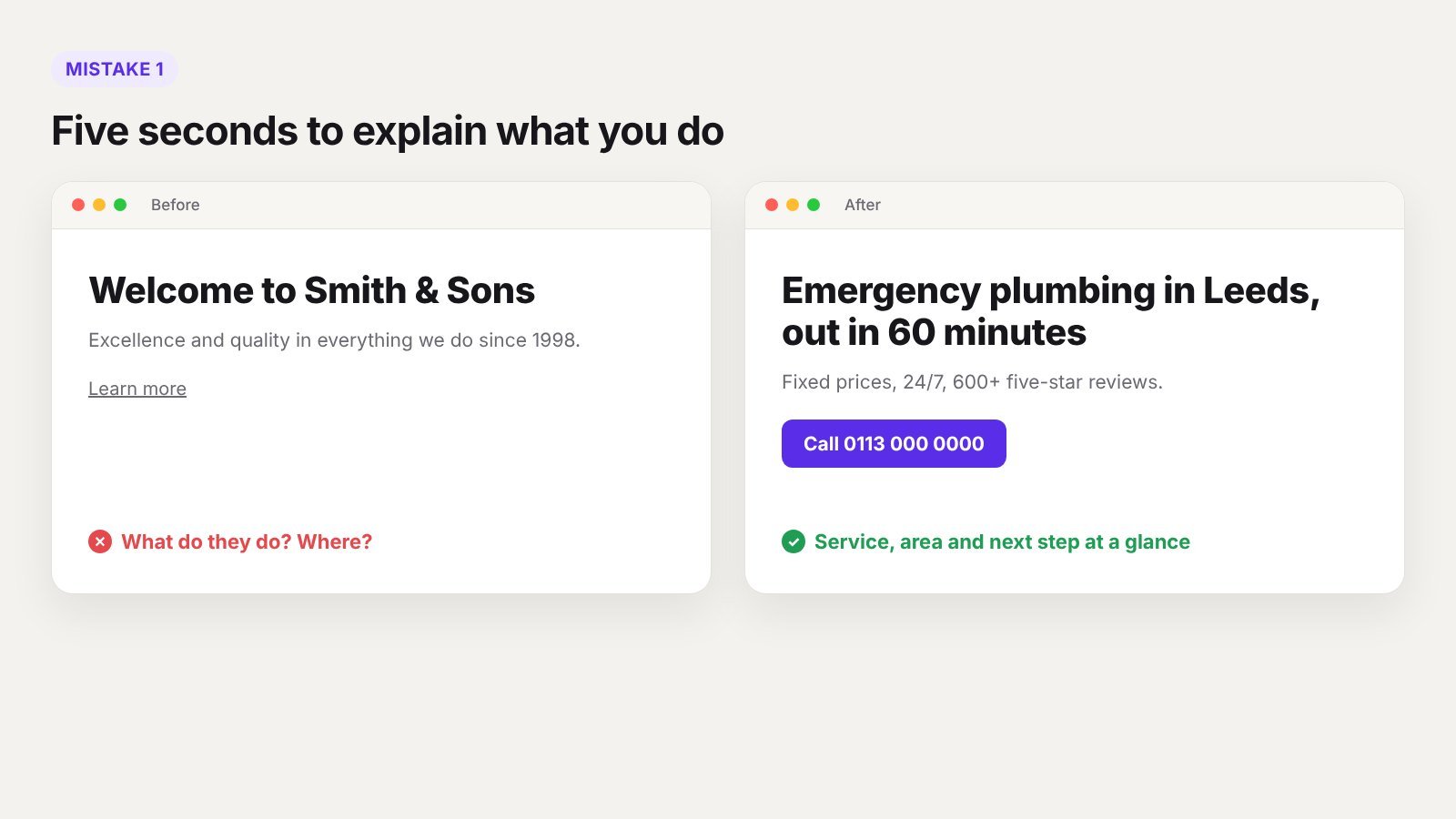
Fix: write a headline a stranger understands, such as “Emergency plumbing in Leeds, out in 60 minutes”. Put your main service, your area and your best reason to choose you on the first screen.
2. No clear next step
Many sites describe the business well and then simply stop. The visitor is interested but does not know what to do next.
Fix: choose one main action, such as call, book or request a quote, and repeat it on every page. Put it in the header and at the end of each section. Use a specific label like “Get a free quote”, not “Submit”.
3. The site is slow on phones
More than half of small business traffic comes from phones, often on mobile data. A site that takes five seconds to load loses many visitors before they see anything.
Fix: compress images, cut unused plugins, use decent hosting and test on PageSpeed Insights with the mobile tab. Our speed tips guide lists the fixes that make the most difference.
4. The phone number is hard to find, or cannot be tapped
For many local businesses, a phone call is the most valuable lead. Yet the number is often hidden in the footer, or shown as an image that cannot be tapped.
Fix: put the phone number in the header, make it a tap-to-call link, and add it to the contact page and footer as well.
5. Contact forms ask for too much
Every extra field means fewer people finish the form. Asking for company size, budget, address and how they found you, all as required fields, before someone has even spoken to you, drives people away.
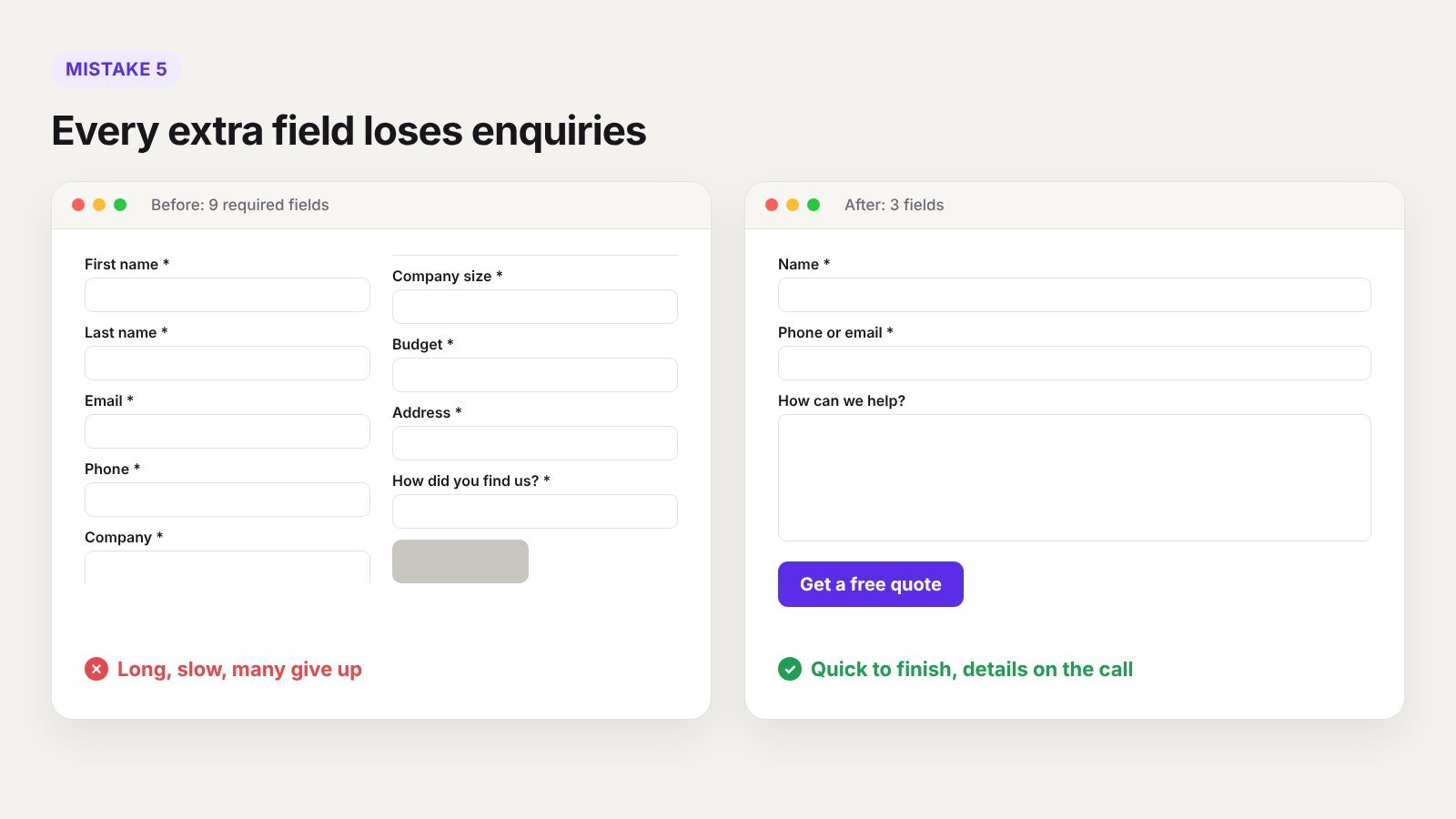
Fix: ask for name, email or phone, and one message box. Collect the rest on the first call. Also test your form every month, because broken forms are more common than you would think.
6. No proof that you are good
Visitors are comparing you with two or three others. Without reviews, photos of real work or recognisable clients, you look like the risky option.
Fix: add real reviews with names, link to your Google reviews, show before and after photos, and add short case studies. Real photos of your team beat stock photos every time.
7. Prices are a complete mystery
You may not be able to publish exact prices, but saying nothing makes many visitors assume you are expensive, and they leave without asking.
Fix: show starting prices, typical ranges or example packages. Even “Most bathroom refits cost between X and Y” filters in the right customers and builds trust.
8. One page tries to cover every service
A single “Services” page listing eight services in two lines each will not rank for any of them, and does not convince anyone either.
Fix: give each main service its own page with real detail, photos, prices and FAQs. If you have many services or areas, a dynamic template keeps them consistent without building each page by hand.
9. Google Business Profile is ignored
For local businesses, many customers find you through Google Maps before they ever see your website. An incomplete profile with old hours and no photos loses those leads.
Fix: complete every field, choose the right category, add photos regularly, reply to reviews and link to the right page on your site. Make sure your name, address and phone match your website exactly.
10. The site has not been updated in years
A copyright year from 2021, a “latest news” post from three years ago and old prices all tell visitors the business might not be active.
Fix: remove dated sections you cannot keep fresh, update the basics every quarter, and keep plugins and WordPress updated for security. An outdated site is also a common target for hacks, as we explain in what to do if your WordPress site is hacked.
11. No tracking, so no idea what works
Without analytics and conversion tracking, you cannot tell which pages bring leads, which ads are working, or where people drop off.
Fix: set up Google Analytics and Google Search Console, and track the actions that matter: form submissions, calls and bookings. Check them once a month.
12. Built for the owner, not the customer
Long paragraphs about company history, mission statements and awards come first, while the visitor’s actual problem waits at the bottom of the page.
Fix: start every page with the customer’s problem and how you solve it. Keep the history for the About page. Read each page as if you were a stressed customer looking for help today.
Quick self-check
| Question | If the answer is no |
|---|---|
| Can a stranger tell what you do in five seconds? | Rewrite the headline |
| Is there one clear action on every page? | Add a repeated call to action |
| Does the site load fast on a phone? | Fix images, plugins and hosting |
| Can visitors tap to call? | Add a tap-to-call link in the header |
| Do you show real reviews? | Add reviews and photos of real work |
| Does each service have its own page? | Split services into separate pages |
| Is your Google profile complete? | Fill every field and add photos |
| Are you tracking leads? | Set up conversion tracking |
Where to start
You do not need to fix everything at once. In our experience, the fastest wins come from the first five: a clearer headline, one repeated call to action, faster loading, tap-to-call and a shorter form. Those changes alone often turn more of the same traffic into enquiries.
Frequently asked questions
Why is my website getting visitors but no leads?
Usually because the visitor cannot quickly see what you do, does not trust you yet, or cannot find an easy next step. Fix the headline, add proof and make the call to action obvious.
How often should a small business update its website?
Check key details every quarter, keep software updated monthly, and add or improve content whenever your services, prices or reviews change.
Do I need a new website or can I fix my current one?
Many problems can be fixed on the current site. A rebuild makes sense when the site is very slow, hard to edit or built on old technology. Our guide on what a website costs helps you compare the options.
How long does it take to see more leads after fixing these mistakes?
Conversion fixes, such as a clearer headline or shorter form, can show results within weeks. SEO improvements usually take a few months.
Want a second pair of eyes on your site?
Send us your website address and we will tell you which of these mistakes are costing you leads. If you would rather talk it through, book a 30-minute call.